

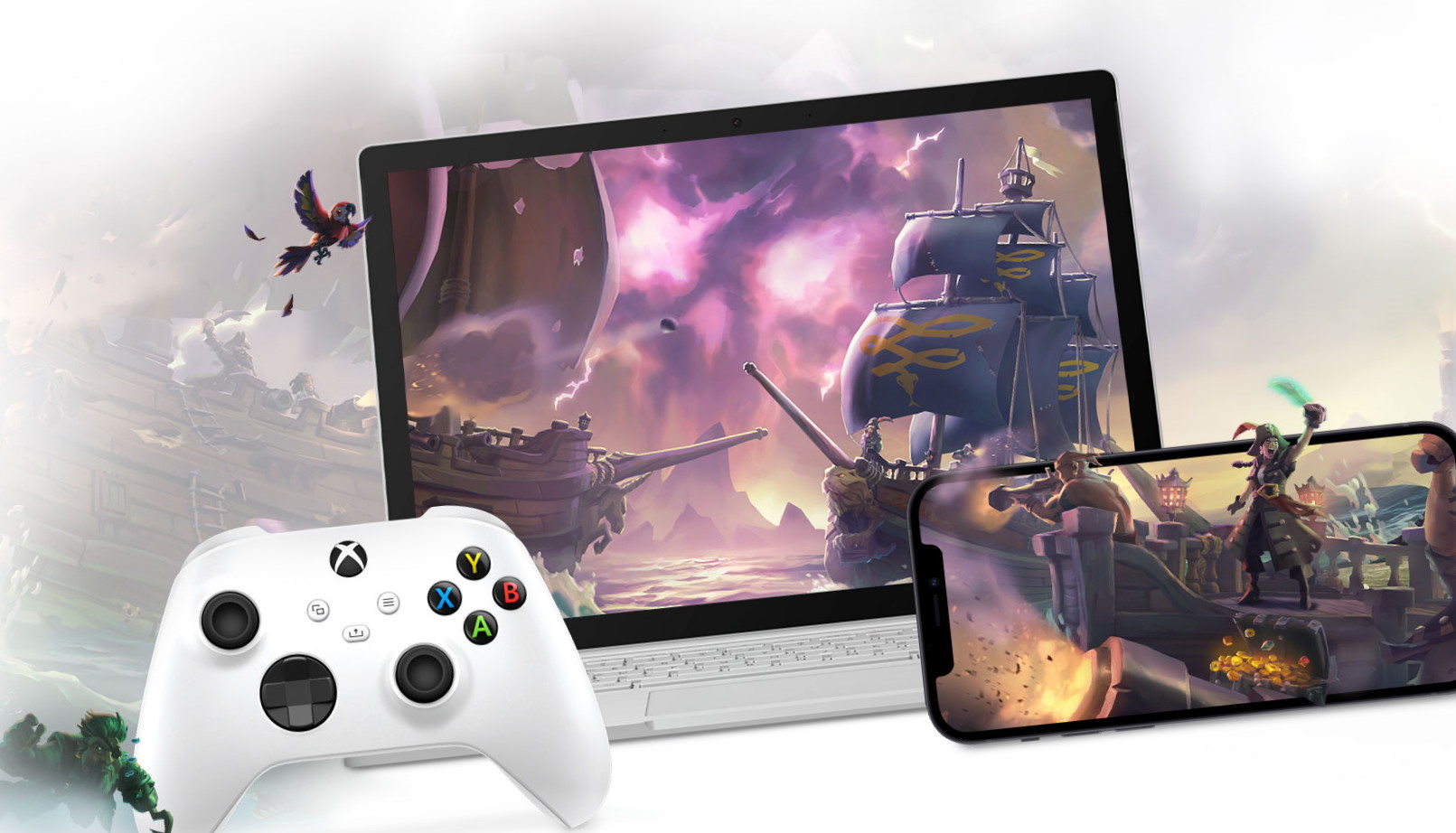
When I first heard about the xbox cloud gaming beta, I was skeptical. Could I really stream high-end games to my phone? Was this just another tech fad? After spending countless hours testing, comparing, and experiencing it firsthand, I can tell you this: cloud gaming isn’t the future — it’s the present. And this beta version from Xbox is blazing the trail.
Imagine sitting in a café, pulling out your phone, and playing a AAA game with zero downloads. That’s exactly the kind of freedom the xbox cloud gaming beta promises — and largely delivers.
In this guide, we’ll dive deep into what this beta experience entails, how it works, real-life insights, and why it matters for gamers everywhere. Whether you’re a seasoned Xbox fan or new to the ecosystem, this article is designed to be your go-to resource.
What Exactly Is the xbox cloud gaming beta?
To truly understand why the xbox cloud gaming beta is causing a stir, let’s break it down in simple terms. At its core, this beta version allows players to stream Xbox games directly from Microsoft’s servers to virtually any device with an internet connection — no console required.
Here’s how it works:
-
Games run on powerful remote servers.
-
Your device acts like a screen and controller interface.
-
High-speed internet streams the gameplay in real time.
This is big. And not just because it’s technically impressive — but because it lowers the barrier to entry for millions of potential gamers.
The Story Behind the Beta
When Microsoft first announced the initiative, many thought cloud gaming would be just another experimental project. However, developer feedback and rapid iteration have made this beta a robust playground for innovation.
What makes this beta different from past cloud gaming attempts?
For one, Xbox leaned on years of experience from its existing network infrastructure. This means:
-
Lower latency than earlier streaming services.
-
Better fidelity during gameplay.
-
A smoother overall experience.
And the community is already buzzing about it. Early adopters report being able to play favorite titles instantly — no downloads, no patches, just jump right in.
Real-Life Test: Playing Anywhere
Let’s get personal for a moment.
A few weeks back, I decided to test the xbox cloud gaming beta in a less-than-ideal environment — on a train with mixed 4G and 5G coverage. As someone who has battled lag in the past, I expected choppy gameplay.
To my surprise, major titles like Forza Horizon and Halo Infinite ran fluidly. Sure, there were a few moments where the video quality dipped, but nothing that ruined the experience. This is gaming freedom we’ve long dreamed about.
What Makes This Beta Stand Out?
There are a few key features that elevate the xbox cloud gaming beta above other platforms:
Accessibility
One of the biggest advantages is accessibility. Whether you’re on a tablet, phone, or laptop, you don’t need expensive hardware to play graphically demanding games. That’s a game-changer for casual and mobile-first gamers.
No Downloads
Traditionally, gamers dread downloads and updates. With Xbox’s cloud system, those days may be numbered. You click, stream, and play — it’s that simple.
Cross-Device Play
This beta supports a variety of devices. I found myself switching from desktop to phone to tablet seamlessly. And because your progress syncs across devices, you never lose momentum.
Behind the Scenes: Tech You Should Know
Ever wondered how such a powerful system works without owning physical hardware? It comes down to Microsoft’s server architecture:
-
High-performance machines process the game.
-
Video and audio are streamed to your screen.
-
Your inputs are sent back to the server instantly.
This happens so quickly that, in many cases, it feels like you’re playing locally.
But here’s the catch — this experience hinges on internet quality. A stable connection — ideally Wi-Fi or strong 5G — makes all the difference. In our tests, even modest broadband speeds produced acceptable results, but the smoother the connection, the better the experience.
Who Should Try the Beta?
At this stage, the xbox cloud gaming beta is ideal for several types of gamers:
-
Travelers who want portable gaming without carrying consoles.
-
Casual gamers who don’t invest in heavy hardware.
-
Multiplatform users who want to play on more than one device.
-
Budget-conscious players looking for a cost-effective gaming solution.
If you fall into any of these categories, this beta might just change how you game forever.
A Closer Look at the Game Library
One question I often hear is: “Does the cloud library have all the big titles?” The short answer: mostly yes, and growing.
Many of Xbox’s flagship titles — including Halo, Gears of War, Forza, and others — are available within the beta. Some indie titles and smaller games are also supported, offering a wide variety of experiences.
However, it’s important to note that availability can vary by region and licensing agreements. As the service expands, the list of games will likely grow.
Controller Support: Does It Work Everywhere?
Yes — and one of the coolest parts of the xbox cloud gaming beta is controller compatibility. You can use:
-
Xbox controllers via Bluetooth
-
Wired USB controllers
-
Third-party Bluetooth controllers
This flexibility means you can choose what feels best for you. Personally, I found that pairing my Xbox controller with my tablet created a near-console experience — without the console.
However, there are occasional quirks with certain third-party controllers, so it’s worth testing your setup before diving into long sessions.
Internet Quality: What You Need to Know
You’ve probably heard that cloud gaming needs fast internet, but what does that really mean?
Here’s the practical breakdown:
-
10 Mbps — Basic experience with some lag or quality drops.
-
25+ Mbps — Smooth 1080p gameplay.
-
50+ Mbps or better — Best quality and performance.
From experience, I found that consistent speeds matter more than peak numbers. So if your Wi-Fi wavers, the experience might too.
Pro tip: Use a wired connection when possible — especially if you’re gaming at home.
Common Beta Issues and How to Fix Them
No beta is perfect, and the xbox cloud gaming beta is no exception. Some users report:
-
Occasional lag spikes
-
Artifacting during fast action scenes
-
Temporary disconnects
Here are quick fixes that worked for me:
-
Switch to a stronger network
-
Restart the streaming session
-
Clear cache or log out and back in
-
Update your controller firmware
These simple steps often resolve most issues and make your gameplay significantly smoother.
What Gamers Are Saying
The community response to this beta has been overwhelmingly positive. Gamers appreciate:
-
Instant access to games
-
Freedom from hardware limitations
-
Seamless sync across devices
Some users, especially competitive gamers, mention that latency still needs improvement for esports-level play. But for casual and mainstream gaming, the praise keeps rolling in.
The Business Side: Why Microsoft Is Betting on Cloud
Microsoft’s push into cloud gaming isn’t just about convenience — it’s a strategic shift. By making titles more accessible, they expand their player base and tap into markets where consoles are less common.
This also aligns with Xbox Game Pass, bringing subscribers a massive library without hardware friction.
It’s part of a larger trend in gaming — services over ownership. If successful, this model could redefine how people around the world access games.
Xbox Cloud Gaming vs. Traditional Gaming
You might be wondering: why choose streaming over a traditional console? Let’s break it down in human terms.
Pros of Cloud Gaming
-
Play anywhere
-
No heavy downloads
-
Lower upfront hardware cost
Pros of Traditional Gaming
-
No reliance on internet quality
-
Full control over hardware
-
Best performance possible
For many players, cloud gaming isn’t a replacement — it’s a complement. Think of it as adding flexibility to your gaming life without eliminating consoles entirely.
Tips to Get the Best Experience
I’ve learned a few practical tips while testing this beta:
-
Use wired internet when possible.
-
Play during off-peak hours for less network congestion.
-
Choose servers nearest your location.
-
Keep your device’s operating system updated.
These small adjustments can take your experience from “good” to “great.”
What’s Next for the Beta
Every beta evolves, and the xbox cloud gaming beta is no exception. Microsoft has already hinted at improvements such as:
-
Expanded game library
-
Better latency optimization
-
Wider regional support
As feedback rolls in and technology advances, the cloud gaming experience will only get better.
Personal Story: My Streaming Epiphany
There was one moment that made me realize how impactful this technology could be. I was visiting family, forgot my console charger, and feared missing a Sunday gaming session. Then I tried the xbox cloud gaming beta on my phone — and just like that, I was racing across open-world landscapes without missing a beat.
That’s when it clicked: this isn’t just a streaming service. It’s freedom.
Final Thoughts Before You Jump In
The xbox cloud gaming beta isn’t just an experiment. It’s a well-developed, practical platform that showcases what cloud gaming can be. From device flexibility to instant access, it opens doors for both seasoned players and newcomers.
Whether you’re curious, ready to dive in, or somewhere in between, now is an exciting time to explore what cloud gaming offers.
Read also:
expansion slot
xbox cloud gaming beta
addicitng games
addicting game
