


You’ve decided to learn web automation with Python. Great choice. But now comes the question that stumps every beginner: Selenium or Playwright? Forums are full of heated debates, and both tools have passionate advocates.
Here’s the truth most tutorials won’t tell you: there’s no universally “better” tool. The right choice depends on what you’re automating, where you’ll work, and how you learn best. This comparison cuts through the hype to help you decide. For a deep dive into Selenium specifically, check out this comprehensive Selenium Python tutorial that covers everything from basics to advanced patterns.
The 30-Second Difference
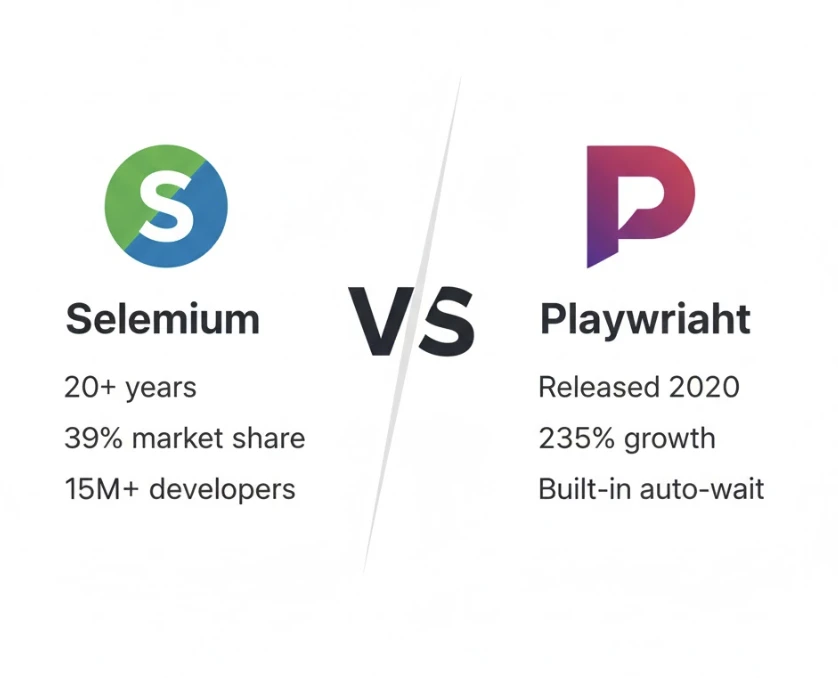
Selenium is the industry veteran — 20+ years old, used by millions, and supported everywhere. It’s the Toyota Corolla of automation: reliable, well-documented, and every shop knows how to work on it.
Playwright is the modern challenger — released by Microsoft in 2020, designed to fix Selenium’s pain points. It’s the Tesla: faster, sleeker, with built-in features that Selenium needs plugins for.
Both can automate browsers with Python. Both can test websites, scrape data, and fill forms. The differences lie in how they do it.
Speed: Playwright Wins
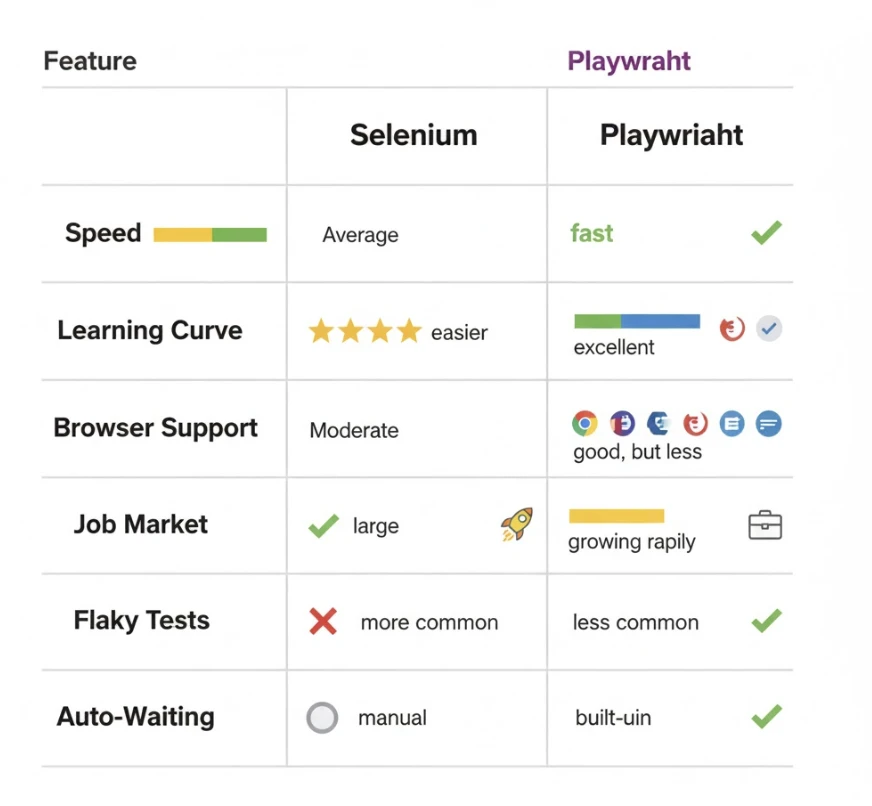
Playwright is noticeably faster in most benchmarks. Why? Architecture.
Selenium talks to browsers through WebDriver — an intermediary layer. Every command travels: Script → WebDriver → Browser → Response back. This adds latency.
Playwright connects directly to browser internals via WebSocket. Commands execute instantly without the middleman. For test suites running hundreds of cases, this difference compounds into hours saved.
Real-world impact: A test suite taking 30 minutes with Selenium might finish in 15-20 minutes with Playwright.
Ease of Learning: Playwright Has Lower Friction
Starting with Playwright is smoother for beginners:
# Playwright – auto-downloads browsers, auto-waits
from playwright.sync_api import sync_playwright
with sync_playwright() as p:
browser = p.chromium.launch()
page = browser.new_page()
page.goto(“https://example.com”)
page.click(“#submit”) # Auto-waits until clickable
browser.close()
# Selenium – needs driver setup, explicit waits
from selenium import webdriver
from selenium.webdriver.common.by import By
from selenium.webdriver.support.ui import WebDriverWait
from selenium.webdriver.support import expected_conditions as EC
driver = webdriver.Chrome() # Requires driver installed
driver.get(“https://example.com”)
wait = WebDriverWait(driver, 10)
button = wait.until(EC.element_to_be_clickable((By.ID, “submit”)))
button.click()
driver.quit()
Playwright’s auto-waiting alone eliminates half the bugs beginners face with Selenium. No more “element not found” errors because the page wasn’t ready.
Browser Support: Selenium Wins
Selenium supports Chrome, Firefox, Safari, Edge, and even legacy browsers like Internet Explorer. If a company needs IE11 testing (yes, some still do), Selenium is the only option.
Playwright supports Chromium, Firefox, and WebKit (Safari’s engine) — covering 95%+ of real users, but not legacy browsers.
For most projects: Playwright’s coverage is sufficient. For enterprise environments with strict browser requirements, Selenium is safer.
Job Market: Selenium Dominates (For Now)
Here’s where career considerations get interesting:
- Selenium: 39% market share, mentioned in most QA job postings, 15+ million developers know it
- Playwright: 15% market share but growing 235% year-over-year
If you’re job hunting today, Selenium on your resume opens more doors. But Playwright knowledge increasingly appears as a “nice to have” — and in some modern teams, as a requirement.
The smart move: learn Selenium fundamentals first (they transfer to Playwright), then pick up Playwright. You’ll be hireable now and future-proof.
Flaky Tests: Playwright Handles Better
The biggest pain point in Selenium is flaky tests — tests that pass sometimes, fail others, with no code changes. Usually caused by timing issues.
Playwright’s architecture largely eliminates this:
- Auto-waiting: Waits for elements automatically before interacting
- Network idle detection: Knows when page loading truly finishes
- Built-in retries: Automatically retries failed assertions
Selenium can achieve similar reliability, but requires explicit waits, careful coding, and more experience. Beginners often struggle for months before their Selenium tests run consistently.
When to Choose Selenium
Pick Selenium if:
- You’re targeting QA/testing roles — Selenium is still the industry standard
- Your company uses Selenium Grid or similar infrastructure
- You need Internet Explorer or legacy browser support
- You’re joining a team with existing Selenium codebase
- You want maximum learning resources and community support
When to Choose Playwright
Pick Playwright if:
- You’re building personal automation projects
- Speed and reliability matter more than broad compatibility
- You’re working with modern SPAs (React, Vue, Angular)
- You want the smoothest learning experience
- You’re starting a new project with no legacy constraints
The Honest Recommendation
For someone learning web automation in 2026, here’s my practical advice:
Learn Selenium first. Not because it’s better, but because:
- Job market still favors Selenium experience
- Selenium concepts transfer directly to Playwright
- Struggling with Selenium’s rough edges teaches you why modern tools exist
- Most tutorials, courses, and Stack Overflow answers cover Selenium
Once you’re comfortable with Selenium fundamentals — locators, waits, page interactions — picking up Playwright takes days, not weeks. The core concepts are identical; only syntax differs.
The exception: If you’re automating personal projects with zero career considerations, start with Playwright. You’ll get results faster and have more fun.
They’re Not Competitors — They’re Colleagues
Here’s what experienced automation engineers know: many teams use both tools. Playwright for speed-critical modern app testing; Selenium for legacy systems and cross-browser verification. The tools complement rather than compete.
Learning one makes learning the other trivial. The fundamentals — element selection, waiting strategies, page object patterns — apply universally. Your knowledge compounds regardless of which tool you start with.
Stop debating and start building. The best automation tool is the one you actually learn and use.
Ready to begin with the industry standard? This step-by-step Selenium Python guide takes you from installation to professional-grade automation with practical examples throughout.